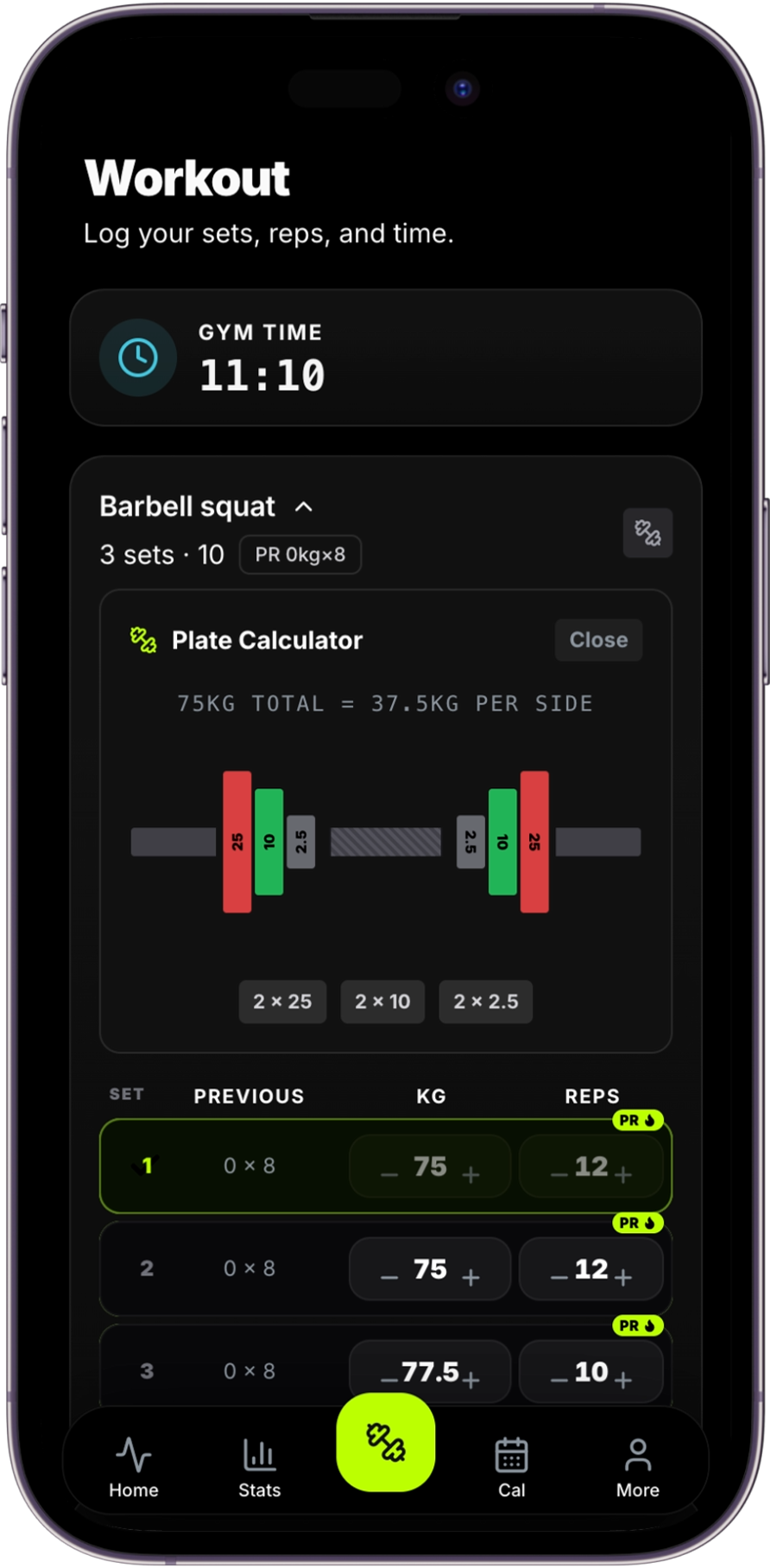
ENTER THE TARGET TOTAL
Choose the total weight you want on the bar and the bar type in use. Gymerium subtracts the bar weight before calculating the remaining load.
SEE THE PLATES FOR EACH SIDE
The calculator divides the remaining load equally and shows a plate combination for one side of the bar. Load the same combination on the other side and confirm that the result matches the intended total.
A 100 kg target with a 20 kg bar leaves 80 kg for plates. Dividing by two gives 40 kg of plates per side — for example, two 20 kg plates.
WORK WITH THE EQUIPMENT AVAILABLE
Plate sizes vary between gyms, and different bars can have different weights. Select the actual equipment available rather than assuming every bar is 20 kg or 45 lb.
KEEP THE WORKOUT MOVING
Because the calculator sits alongside workout logging, you can review the recommended next load, calculate the plates and return to the next set without rebuilding the calculation elsewhere.